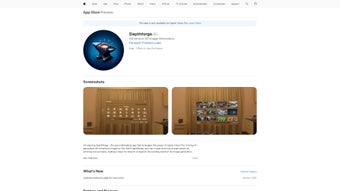

Download Depthforge – AI‑Powered 3D Image Generator for Vision Pro
Depthforge is a cutting‑edge, web‑based application that transforms plain text prompts into stunning, immersive 3D images. Built specifically for the Apple Vision Pro platform, Depthforge harnesses the power of modern artificial intelligence and spatial computing to let anyone—from hobbyist creators to professional designers—produce high‑quality 3D visuals without needing a steep learning curve. The tool operates on a subscription model, but offers a free trial period that lets users explore its capabilities before committing.
With a sleek, intuitive interface, the app invites users to type or select a prompt, watch the AI engine interpret the description, and instantly generate a fully navigable 3D scene. Depthforge also includes a “Prompt Inspiration” feature that delivers random, creative prompts to keep ideas flowing, as well as advanced prompt‑refinement options powered by a sophisticated language model. Users can toggle between landscape and portrait orientations, store their creations in an integrated image library, and interact with the generated 3D objects using Vision Pro’s natural gestures for positioning, scaling, and zooming.
Whether you’re looking to prototype a concept, enrich a presentation, or simply explore the possibilities of AI‑driven art, Depthforge delivers a secure, reliable, and constantly updated experience that works directly in a web browser, eliminating the need for bulky installations or separate hardware drivers.
Key Features That Set Depthforge Apart
- AI‑Driven Text‑to‑3D Conversion – Convert any natural‑language description into a fully realized 3D scene in seconds.
- Prompt Inspiration Engine – Randomly generated prompts spark creativity and help users overcome writer’s block.
- Advanced Prompt Refinement – A built‑in language model suggests synonyms, style tweaks, and detail enhancements for optimal output.
- Orientation Flexibility – Choose between landscape and portrait formats to suit VR displays, presentations, or social media.
- Integrated Image Library – Organize, tag, and retrieve generated assets without leaving the application.
- Spatial Interaction with Vision Pro – Use hand gestures, eye tracking, and head movement to rotate, scale, and explore 3D objects naturally.
- Cross‑Platform Web Access – Works on macOS, iOS, Windows, and Android browsers, ensuring a consistent experience across devices.
- Secure Cloud Processing – All AI computations happen on encrypted servers, keeping user data private and safe.
- Regular Updates & New Models – Subscription includes automatic updates to the latest AI models and feature enhancements.
- Export Options – Export scenes as OBJ, GLTF, or high‑resolution screenshots for use in other 3D tools.
Step‑by‑Step Installation & First‑Run Guide
Getting started with Depthforge is deliberately straightforward. Because the application is web‑based, there is no traditional “installation” process; you simply need a modern browser that supports WebGL and WebXR (Chrome, Safari, Edge, or Firefox). Follow these steps to download, set up, and begin creating your first 3D masterpiece:
- Visit the Official Site – Navigate to depthforge.com. The homepage offers a prominent “Start Free Trial” button that initiates the account creation flow.
- Create an Account – Provide a valid email address, choose a strong password, and accept the privacy policy. An activation link will be sent to your inbox; click it to verify your account.
- Select a Subscription Plan – Depthforge offers a monthly and an annual plan. The free trial grants 20 unlimited renders, after which you’ll be prompted to select a paid tier.
- Enable Browser Permissions – For optimal Vision Pro integration, allow the site to access your device’s camera and motion sensors. This step is required only for immersive mode.
- Choose a Workspace – Upon login, you’ll be directed to a dashboard where you can create a new project, import existing assets, or explore the community gallery.
- Enter a Prompt – Use the main input field to type a description (e.g., “a tranquil Japanese garden at sunrise”). If you need inspiration, click the “Random Prompt” button.
- Refine Your Prompt (Optional) – The AI assistant will suggest refinements such as “add soft mist” or “enhance lighting.” Accept or edit these suggestions to fine‑tune the result.
- Generate the 3D Scene – Hit the “Create” button. Within 10‑20 seconds, Depthforge renders a full 3D model that appears in the preview window.
- Interact in Vision Pro – If you’re using an Apple Vision Pro headset, switch to “Immersive Mode.” Use hand gestures to move around the scene, pinch to zoom, and rotate objects with natural motions.
- Save & Export – Click “Save to Library” to store the scene. Use the export dropdown to download the model in OBJ, GLTF, or PNG formats for further editing or sharing.
The entire workflow is designed to be secure (all communications are HTTPS‑encrypted) and user‑friendly. Updates are applied automatically on the server side, so you never need to manually download patches or worry about version conflicts. For users on Windows or Android, the same browser experience applies; the only difference is the lack of Vision Pro immersive controls, which are gracefully replaced by mouse and touch interactions.
Platform Compatibility and System Requirements
Depthforge’s web‑centric architecture makes it exceptionally versatile. While the application shines on Apple Vision Pro because of native spatial computing support, it remains fully functional on any device with a modern browser that can handle WebGL and WebXR. Below is a breakdown of supported platforms and minimum specifications:
- Apple Vision Pro (macOS & iOS) – Requires iOS 16.5+ or macOS 13.4+ with Vision Pro hardware. The app leverages VisionOS APIs for gesture‑based navigation.
- macOS (Desktop) – Safari 16+, Chrome 108+, or Firefox 102+. Minimum 8 GB RAM, integrated graphics supporting OpenGL 4.1 or higher.
- Windows 10/11 – Edge, Chrome, or Firefox (latest versions). At least 8 GB RAM, DirectX 11 compatible GPU, and a recent graphics driver.
- iOS & iPadOS – iOS 15+ or iPadOS 15+, with Safari or Chrome. Requires devices with A12 Bionic or later for smooth rendering.
- Android – Android 11+ with Chrome or Firefox. Minimum 6 GB RAM and a GPU supporting OpenGL ES 3.0.
- Linux (Experimental) – Chrome or Firefox on Ubuntu 20.04+, with Mesa 20.0+ drivers. While not officially supported, users report functional performance.
Because all heavy AI processing occurs on Depthforge’s secure cloud servers, local hardware requirements are modest. The only critical factor is a stable internet connection (minimum 10 Mbps recommended) to stream the generated assets in real time. For Vision Pro users, a Wi‑Fi 6 network ensures the lowest latency when moving between immersive and 2D modes. The application also respects privacy regulations—no user prompts or generated models are stored permanently on the server unless the user explicitly saves them to their personal library.
Pros and Cons – Quick Verdict
Pros
- Instant AI‑driven conversion of text to high‑quality 3D visuals.
- Seamless integration with Apple Vision Pro’s spatial controls.
- Cross‑platform web access eliminates the need for bulky installations.
- Prompt Inspiration and refinement tools boost creativity and reduce writer’s block.
- Secure cloud processing keeps user data private and off‑device.
- Regular automatic updates keep the AI models cutting‑edge.
- Export options in industry‑standard formats (OBJ, GLTF, PNG).
- Responsive customer support and a growing online community.
Cons
- Full immersive features are limited to Apple Vision Pro hardware.
- Subscription model may deter occasional users who prefer one‑time purchases.
- Performance depends on internet speed; slower connections can cause lag.
- Advanced prompt‑refinement requires a learning curve for non‑technical users.
- Exported assets may need additional polishing in professional 3D software.
Frequently Asked Questions
Is Depthforge available on Windows computers?
Yes. Although Depthforge is optimized for Apple Vision Pro, its web‑based interface works on any modern Windows browser (Edge, Chrome, or Firefox). Users can generate and interact with 3D scenes using mouse and keyboard controls, and they can still export models for use in other Windows‑based 3D applications.
Can I use Depthforge for free?
Depthforge offers a free trial that includes 20 unlimited renders. After the trial expires, you’ll need to choose a paid subscription (monthly or annual) to continue generating new 3D images. The subscription also grants access to premium features such as advanced prompt refinement, higher‑resolution exports, and priority cloud processing.
How secure is my data when I create prompts and images?
Depthforge uses end‑to‑end HTTPS encryption for all data transmission. Prompt text and generated images are processed on secure cloud servers that comply with GDPR and CCPA standards. Your personal library is stored in an encrypted personal vault, and nothing is retained on the server after you delete it.
Do I need an Apple Vision Pro headset to view the 3D images?
No. While the Vision Pro provides the most immersive experience with hand‑tracking and eye‑tracking, Depthforge also offers a 2D preview mode that works on any screen. You can rotate, zoom, and pan the scene using a mouse, trackpad, or touch screen.
Conclusion – Should You Download Depthforge Today?
If you’re looking for a modern, AI‑powered tool that turns simple text into captivating 3D visuals, Depthforge is one of the most compelling options on the market. Its seamless web‑based delivery removes the friction of traditional 3D software installations, while the integration with Apple Vision Pro delivers a truly spatial experience that feels ahead of its time. The combination of Prompt Inspiration, advanced language‑model refinement, and an intuitive library makes the creative workflow fast and enjoyable, even for users with no prior 3D modeling background.
Although the subscription pricing might not suit every occasional hobbyist, the free trial provides enough runway to evaluate whether the tool meets your needs. Moreover, the secure cloud architecture, regular updates, and cross‑platform compatibility ensure that your investment stays relevant as both AI models and hardware evolve. In short, whether you’re a designer prototyping concepts, an educator creating immersive lessons, or a content creator seeking fresh visual assets, downloading Depthforge today can unlock a new dimension of creativity—literally.
Click the “Start Free Trial” button on the official website, set up your account, and begin exploring the endless possibilities of text‑driven 3D art.



.png)



